Why Your AI Is Losing Customers (And How to Actually Fix It)
By Husnain Izhar
If you've launched an AI chatbot, internal assistant, or AI-powered search tool for your business, you've probably heard some version of this feedback:
"It gave the wrong answer." "It didn't understand what I was asking." "It sounded confident, but it was completely wrong."
Most business owners assume the problem is the AI model itself — so the instinct is to switch providers, upgrade to a "smarter" model, or throw more budget at it. In almost every case I've worked on, that's not where the problem lives.
The model is rarely the bottleneck. What happens before the model answers — how it finds, filters, and prepares information — is where reliable AI is won or lost.
This is the layer most businesses never see, because it's invisible until something goes wrong. Below are 10 concepts that quietly separate AI systems that hold up in production from ones that just look good in a demo.
1. Reranking: Why Your AI Shows the Wrong Answer First
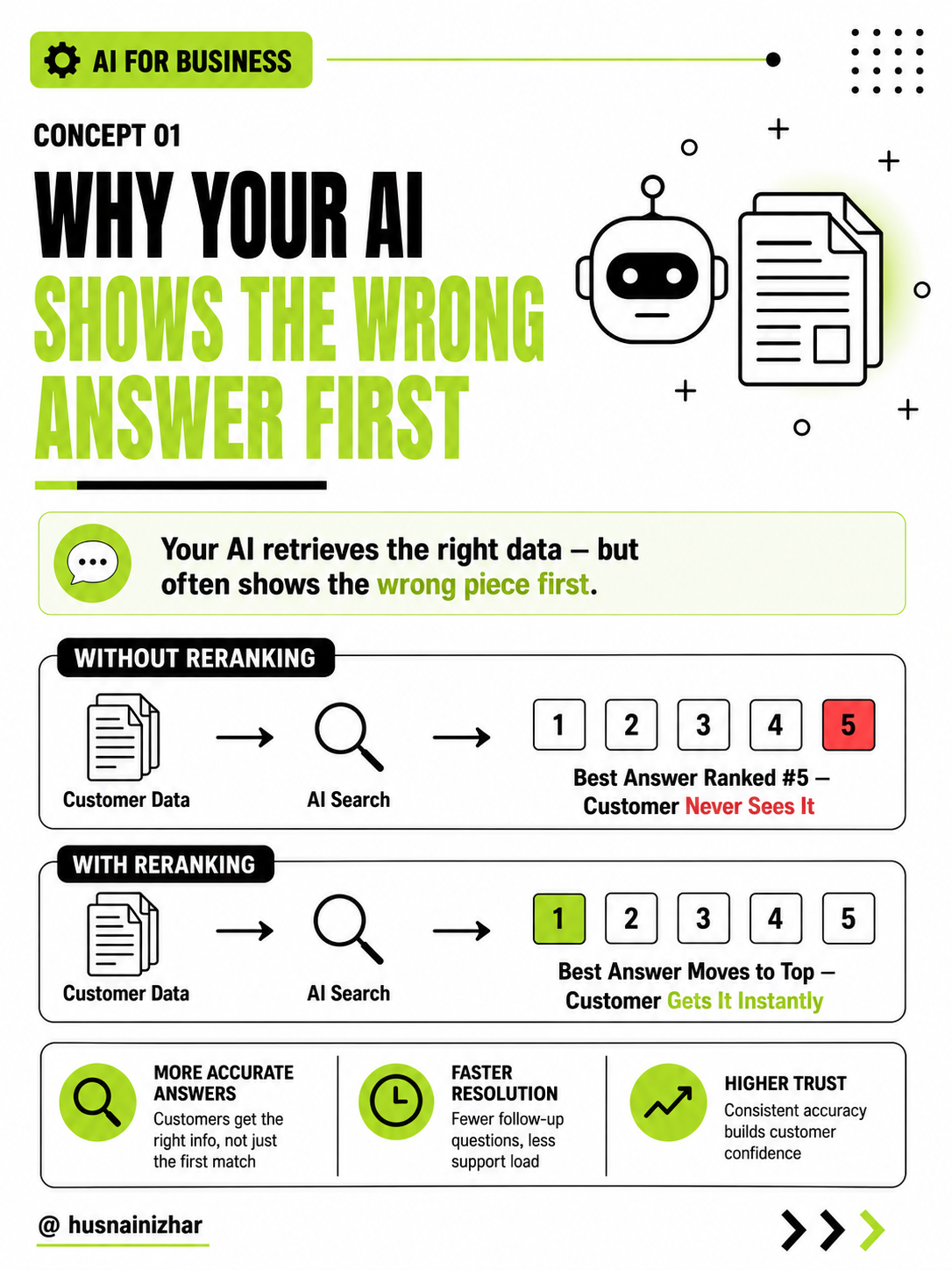
When your AI searches your data, it doesn't just find one relevant result — it finds many. The problem is that the best answer isn't always the first one returned. It might be ranked 15th or 20th, buried under technically-related but less useful information.
Most AI systems only let the model see the top few results. If the right answer is sitting at position #19, the model never sees it — and the customer gets a mediocre answer instead of the correct one.
The fix: a reranking step that re-evaluates all retrieved results against the actual question and moves the most relevant one to the top before the AI responds.
Why it matters for your business: the difference between a customer getting the right answer instantly versus getting an almost-right answer that triggers a support ticket.
2. Hybrid Search: Why Keyword Search Alone Is Costing You Customers
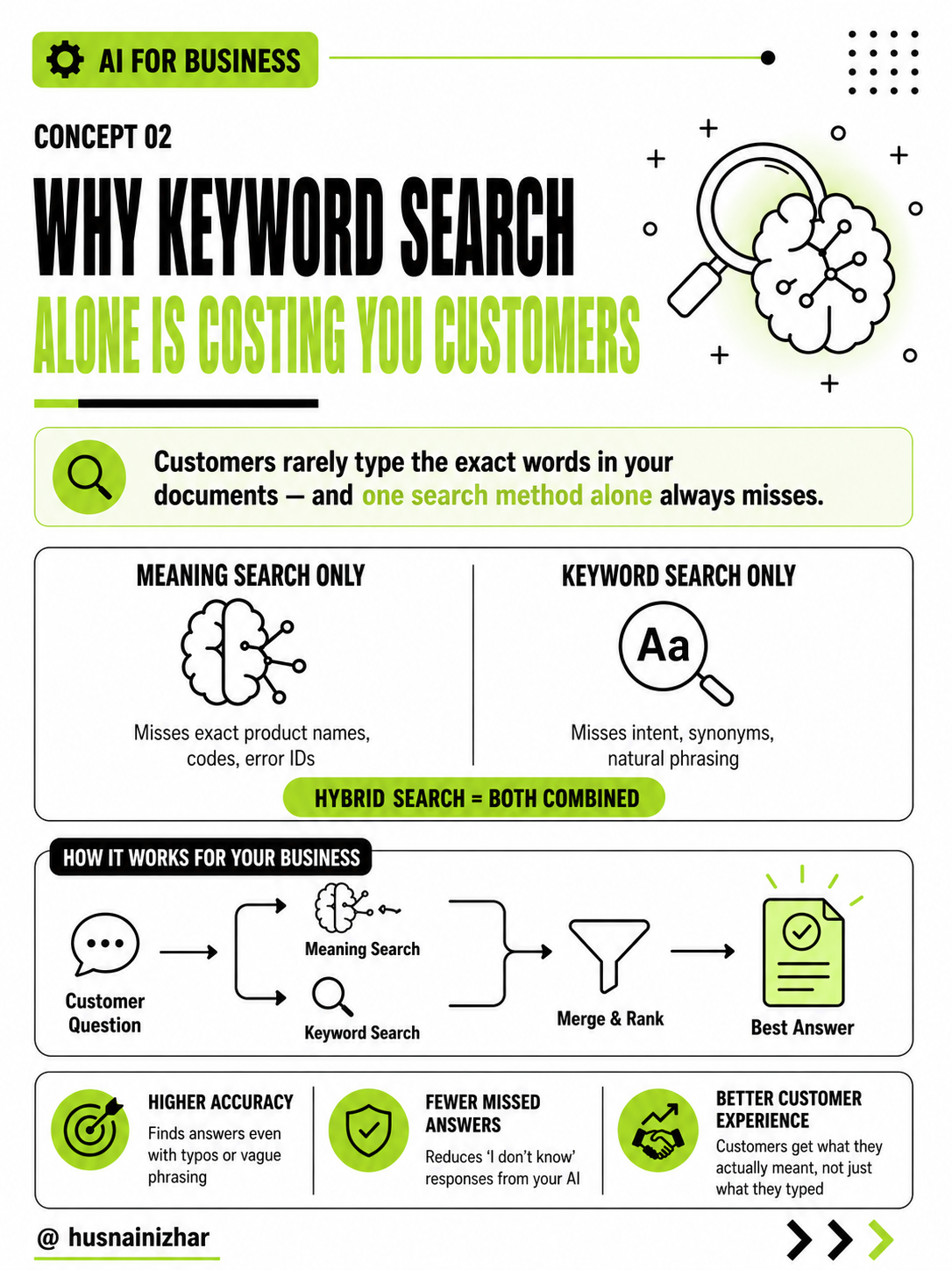
There are two ways an AI system can search your data: by meaning (understanding intent) or by exact words (matching keywords). Most systems rely on only one — and both approaches fail on their own.
Meaning-based search misses exact product names, order numbers, or error codes. Keyword search misses natural phrasing, synonyms, and typos. Customers rarely search your documents the way your documents were written.
The fix: hybrid search — combining semantic search with keyword search, then merging and ranking both sets of results together.
Why it matters for your business: it's the difference between an AI that only works when customers phrase things perfectly, and one that works the way people actually talk.
3. Chunking Strategy: Why Your AI Gives Half-Finished Answers
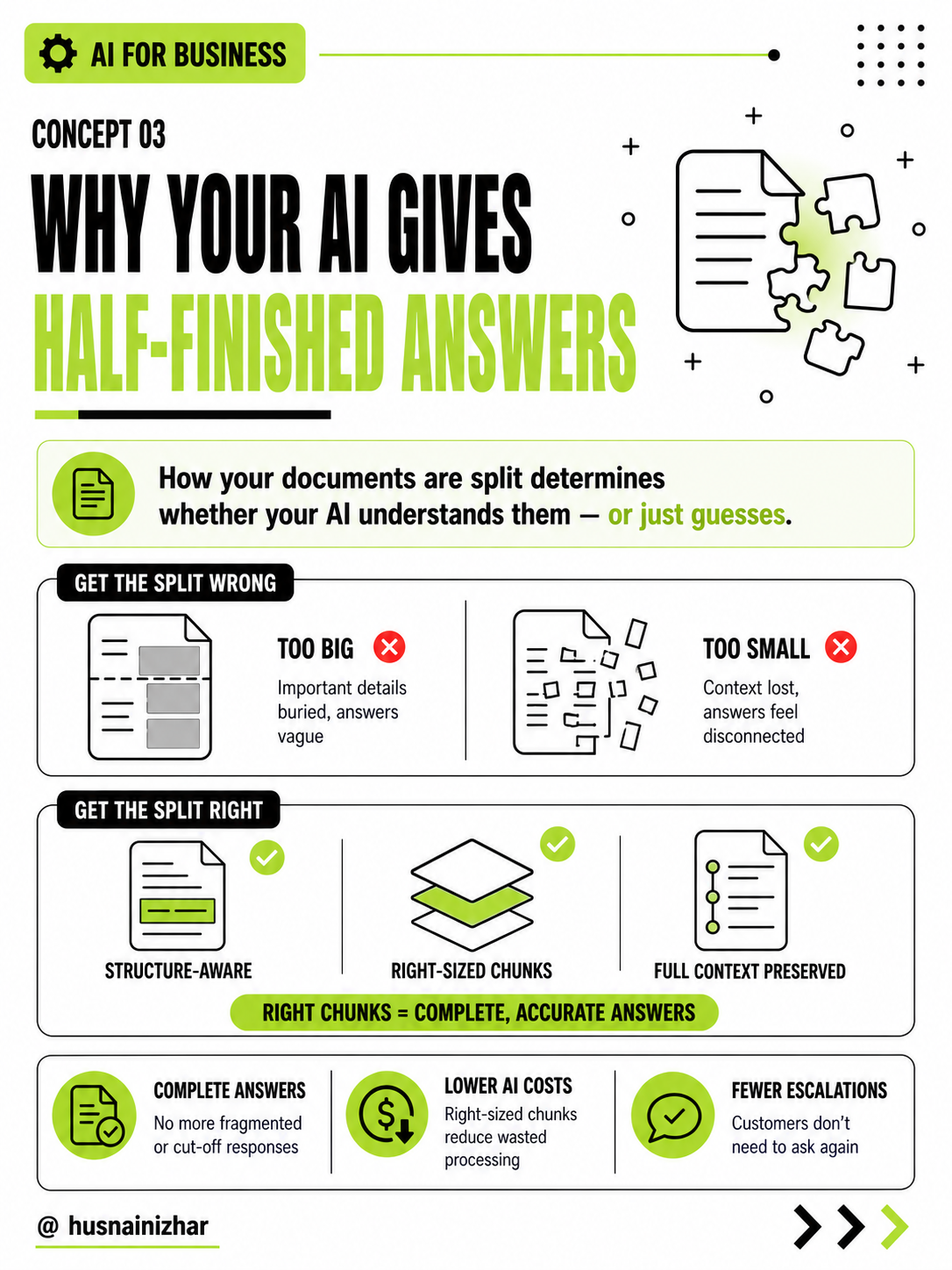
Before your AI can search your documents, those documents get broken into smaller pieces. How they're broken up matters more than most businesses realize.
Split them too large, and important details get buried — the AI gives vague, incomplete answers. Split them too small, and the AI loses context — answers feel disconnected or nonsensical.
The fix: structure-aware chunking that respects natural document boundaries (sections, headings, lists) rather than cutting text at arbitrary points.
Why it matters for your business: properly chunked data means complete answers instead of fragments — and fewer customers needing to ask a follow-up question just to get the full picture.
4. Multi-Query Retrieval: Why Your AI Is Missing Answers It Already Has
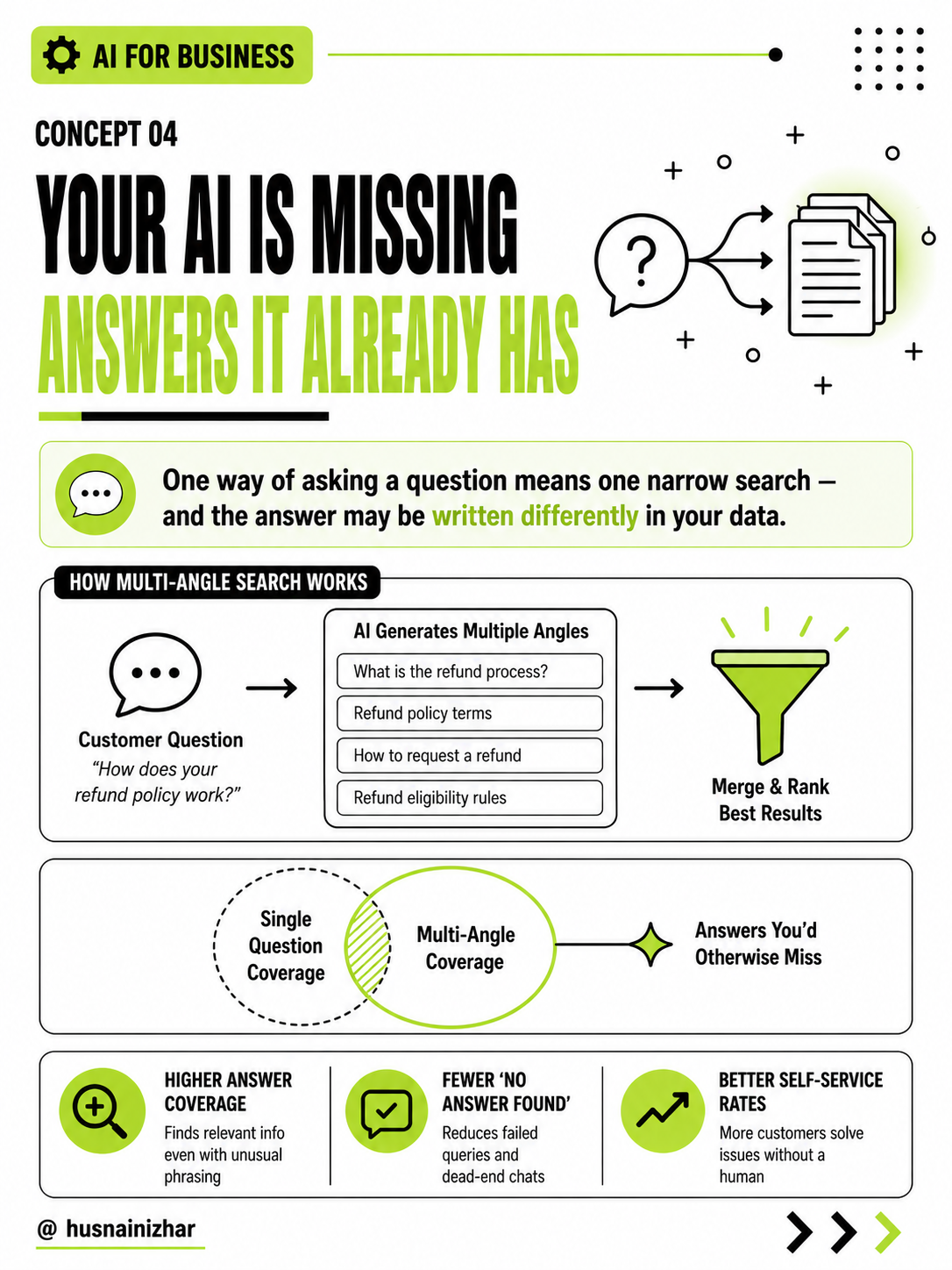
When your AI searches for an answer, it typically searches using the customer's exact question — just once. But your documentation might describe the same thing using completely different language than the customer used.
One narrow search means one narrow chance of finding the answer, even if it's sitting right there in your data.
The fix: have the AI generate multiple versions of the question, search all of them, then merge and rank the combined results.
Why it matters for your business: fewer "I couldn't find an answer" moments, and higher self-service resolution rates — because the AI is searching your data the way a thorough human would, not just literally.
5. Parent Document Retrieval: Why Your AI's Answers Feel Confusing Out of Nowhere
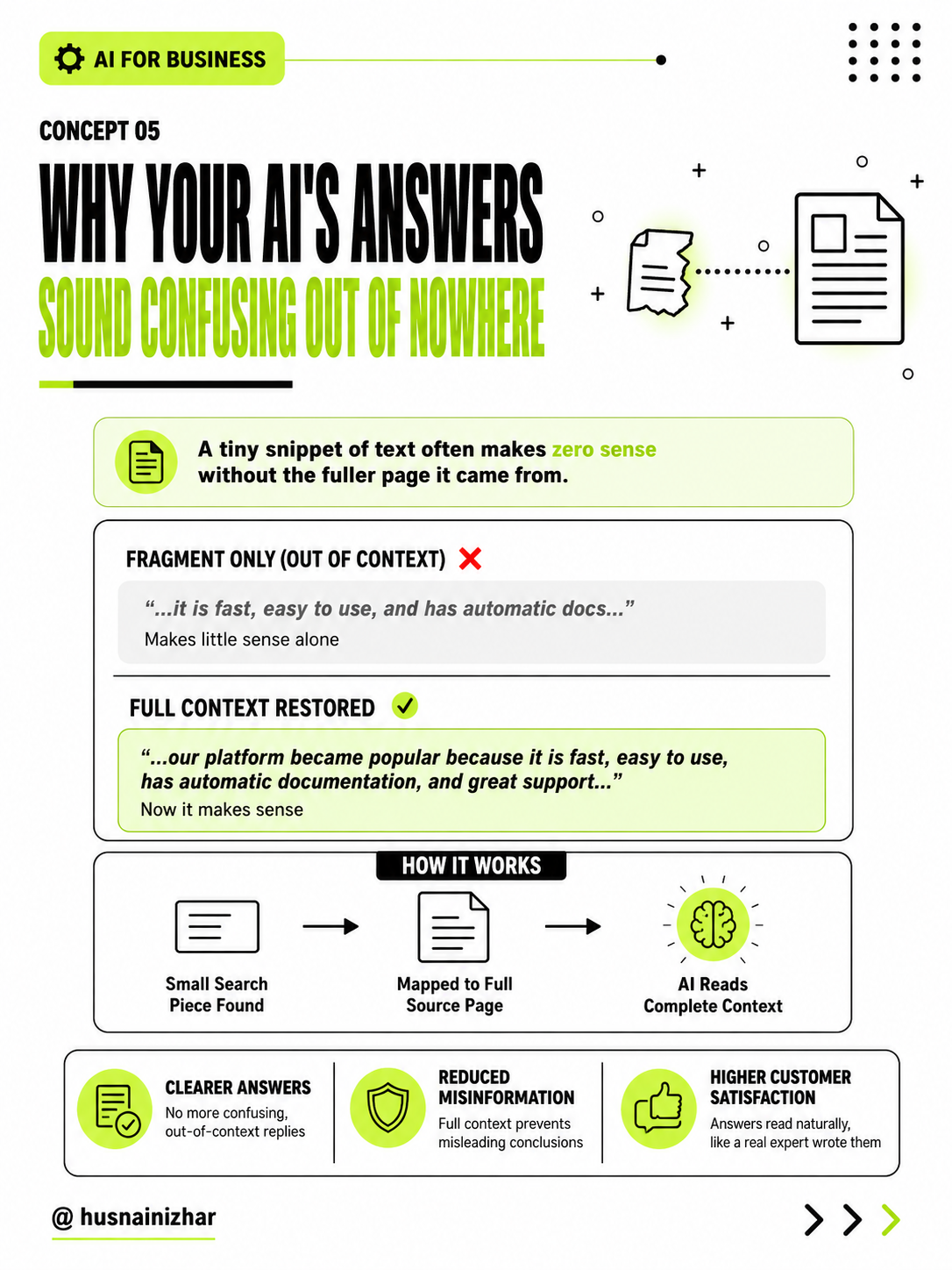
Small chunks of text are great for search accuracy — but terrible for understanding on their own. A tiny fragment like "...it is fast, easy to use, and has automatic docs..." means almost nothing without the fuller context it came from.
The fix: retrieve using small, precise chunks, but return the full parent section or document to the AI — so it answers with complete context, not a disconnected snippet.
Why it matters for your business: answers that read naturally and make sense, instead of ones that sound like they were pulled from the middle of a sentence — because they were.
6. Context Compression: Why More Data Is Making Your AI Dumber
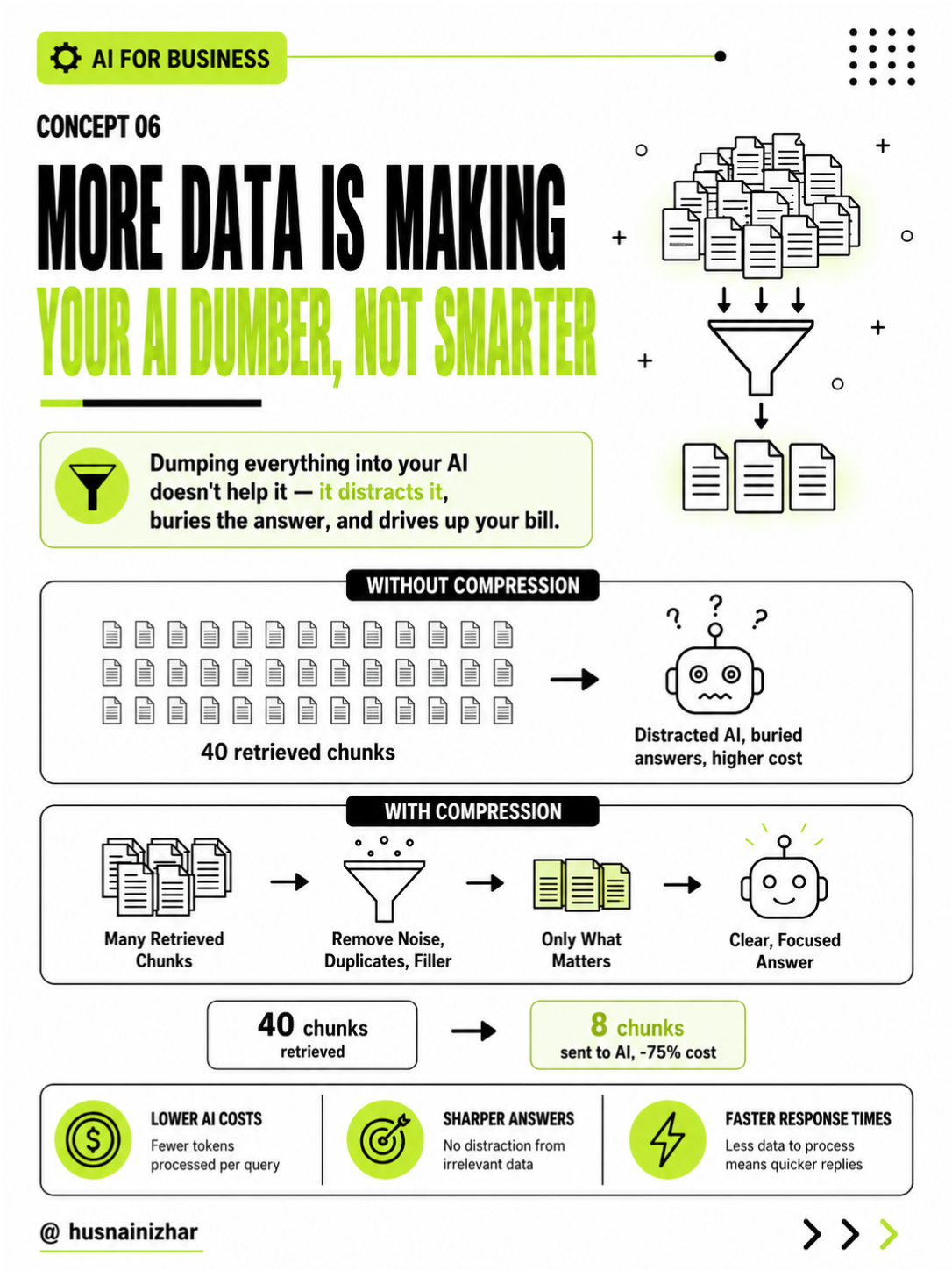
It's tempting to think "more information = better answers." In practice, the opposite happens. AI models have a limited context window, and dumping 40 retrieved chunks into that window doesn't help — it distracts the model, buries the real answer, and drives up processing costs.
The fix: compress retrieved content before sending it to the AI — removing duplicates, filler, and irrelevant sections, keeping only what actually answers the question.
Why it matters for your business: in real deployments, this alone has cut token usage by 75% while improving answer quality — a rare case where doing less actually performs better and costs less.
7. HyDE: Why Vague Customer Questions Get Zero Useful Results
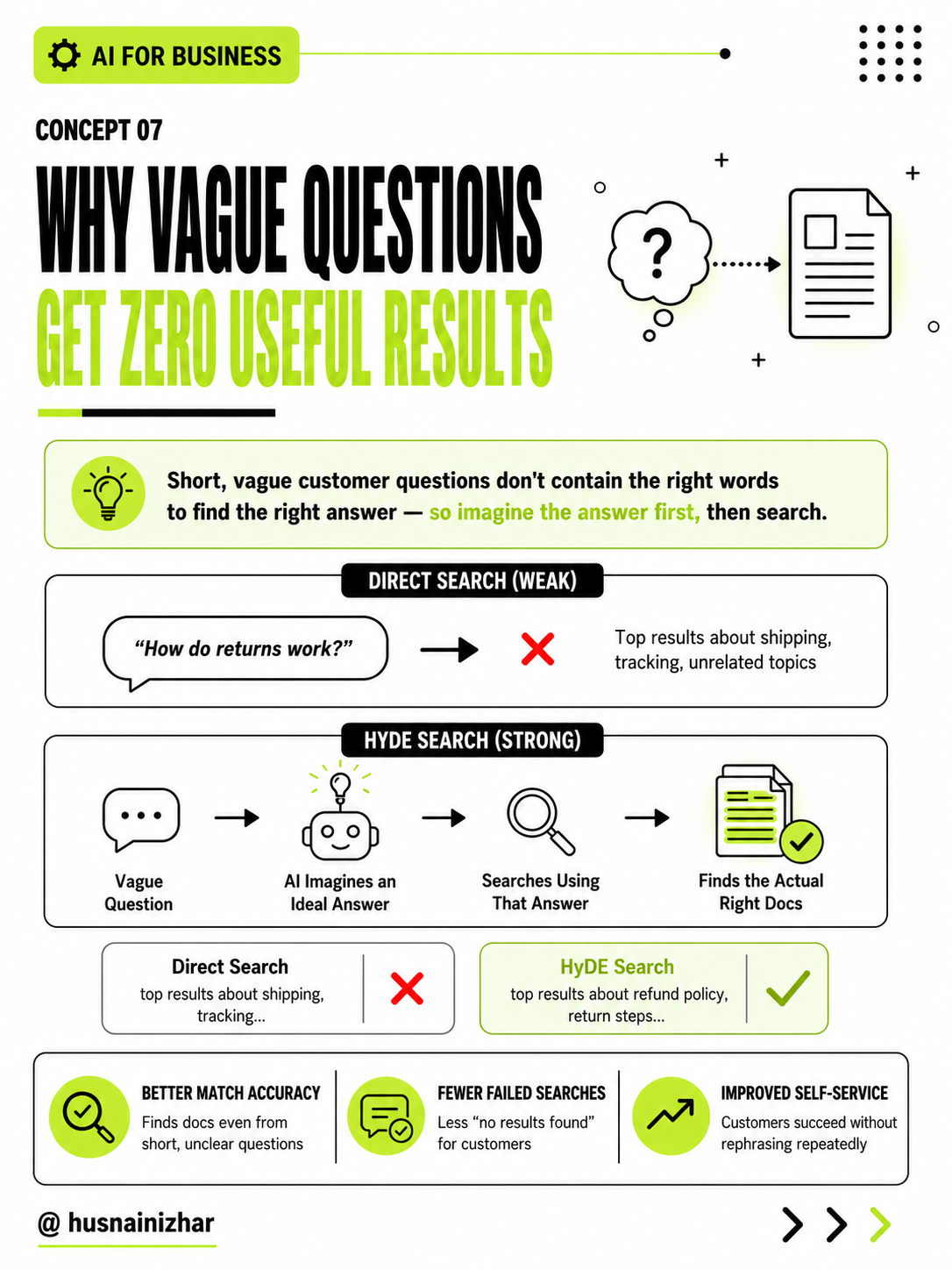
Short or vague customer questions are hard to search well, because they don't contain the specific terms needed to find the right documents. A question like "How do returns work?" might return results about shipping and tracking instead — technically related, but not what was asked.
The fix: have the AI first generate a hypothetical ideal answer to the question, then search using that answer's language instead of the original question. This is called HyDE — Hypothetical Document Embeddings.
Why it matters for your business: it turns a weak, vague question into a strong search signal — meaning customers get useful answers even when they don't know the "right" way to ask.
8. Self-RAG: Why Your AI Wastes Money Searching for Things It Already Knows
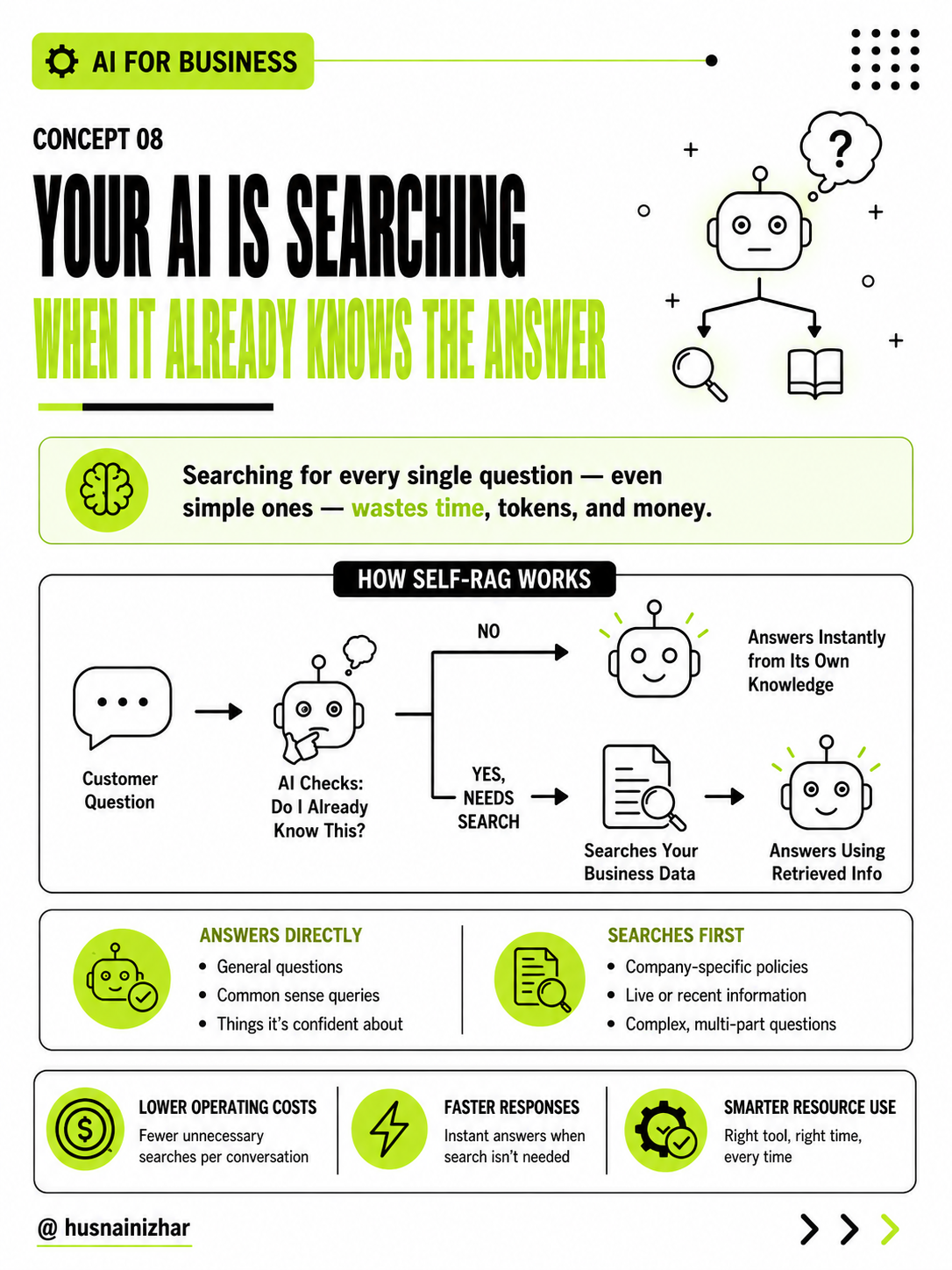
Not every question needs a search. Simple, general questions can often be answered directly by the AI — but many systems search your database for every single query, regardless of whether it's needed. That's wasted time, wasted tokens, and wasted money.
The fix: let the AI decide first — does it already know this, or does it need to search? Only search when necessary.
Why it matters for your business: faster responses for simple questions, lower operating costs at scale, and less unnecessary load on your systems — without sacrificing accuracy on the questions that actually need real data.
9. CRAG (Corrective RAG): Why Your AI Sounds Confident Even When It's Wrong
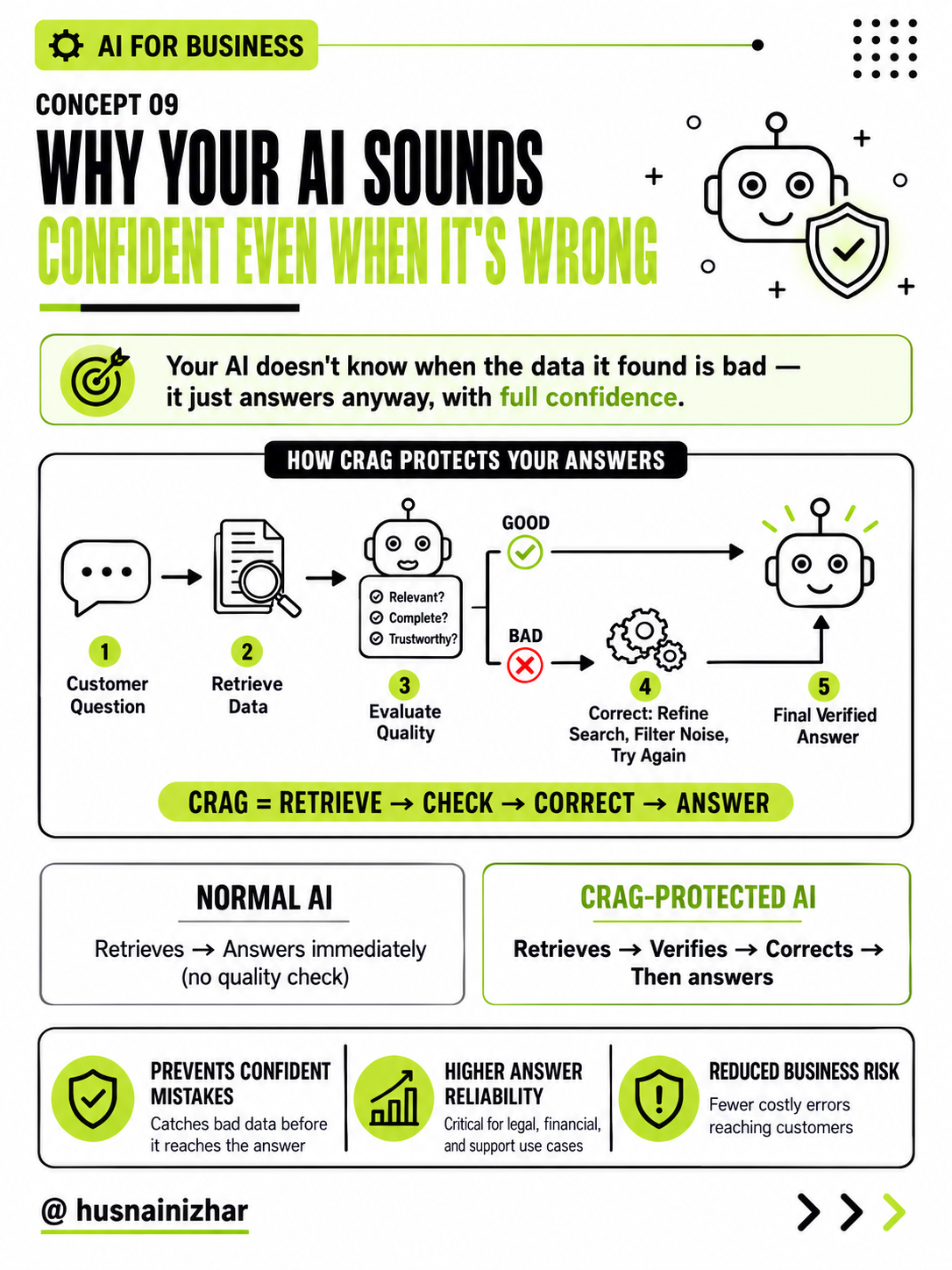
Here's the most dangerous failure mode in AI systems: your AI doesn't actually know when the data it retrieved is bad. If the search returns irrelevant, outdated, or misleading information, the AI will often still answer — with the same confidence as if it had the right data.
The fix: add a quality-check step. Before answering, the system evaluates whether retrieved data is actually relevant, complete, and trustworthy. If it's not, the system refines the search or filters out the bad data — before the AI ever answers.
Why it matters for your business: this is the single biggest lever for reducing hallucinations and confidently-wrong answers — which matters enormously if your AI touches legal, financial, medical, or customer-facing decisions.
10. The Real Reason Your AI Keeps Losing Customers
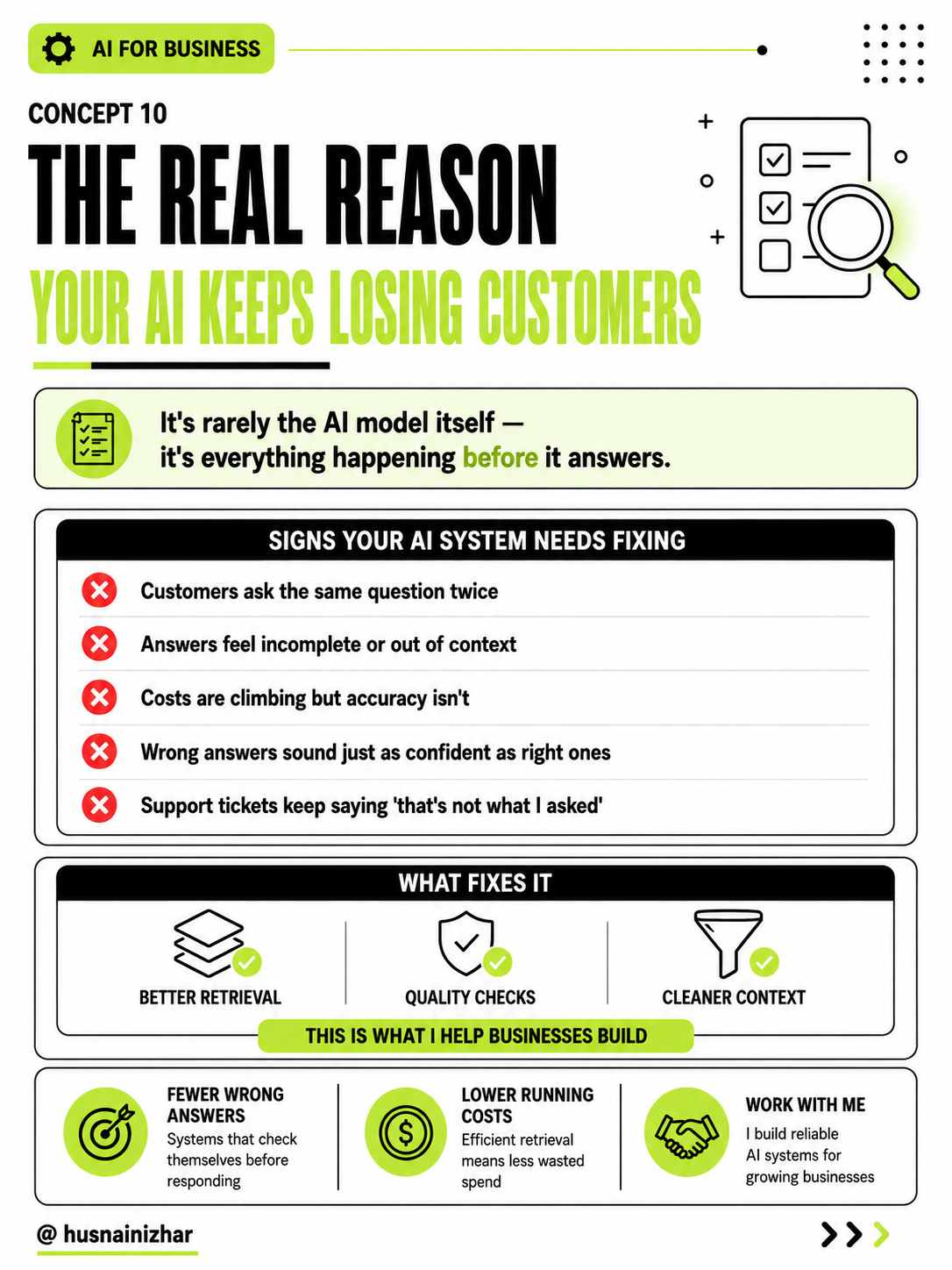
If any of the following sound familiar, the problem usually isn't the AI model — it's the system around it:
- Customers ask the same question twice
- Answers feel incomplete or out of context
- Costs keep climbing but accuracy doesn't improve
- Wrong answers sound just as confident as right ones
- Support tickets keep saying "that's not what I asked"
Every one of these is fixable — not by switching AI providers or paying for a bigger model, but by fixing the retrieval and quality-control layer that sits between your data and the model's answer.

The Bottom Line
Most businesses evaluate AI the way they'd evaluate a hire — based on how smart it sounds in the interview. But a chatbot that performs well in a demo and one that performs well in production, at scale, with real customer questions, are two very different systems.
The gap between them isn't the model. It's everything covered above: retrieval, ranking, chunking, context handling, and quality control.
If your AI system is underperforming — giving vague answers, costing more than expected, or losing customer trust — the fix usually isn't a bigger model. It's a better system.
I help businesses build AI systems that are actually reliable in production, not just impressive in a demo. If this sounds like a problem you're dealing with, let's talk.
— Husnain Izhar
Follow @husnainizhar for more breakdowns on building AI systems that actually work.