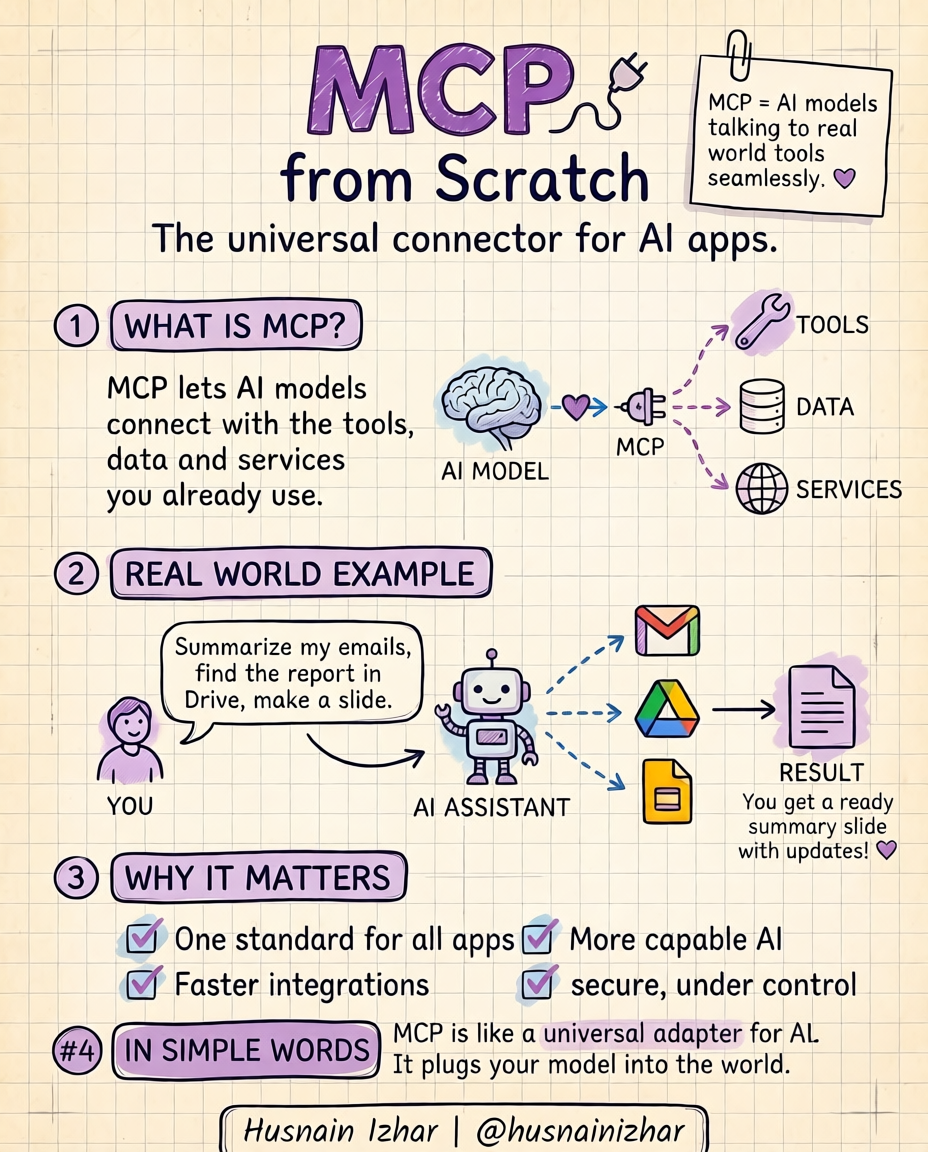
Last month I watched an AI assistant do something that would've taken me half a day.
I typed one line: "Summarize my unread emails, pull the Q2 report from Drive, and turn it into a slide." Then I went to make coffee. By the time I came back, it was done — emails summarized, the right file found, the slide built. I didn't write a single integration. I didn't touch an API. I just asked.
A year ago this was science fiction — not because the model got smarter, but because of one quiet standard doing the heavy lifting underneath: MCP, the Model Context Protocol.
The Problem: A Brilliant Model With No Doors
Your AI model is brilliant and completely blind. It can reason about your emails but can't open your inbox. It can describe a report but can't find the file. On its own it's a genius locked in a room with no doors.
For years we hand-built those doors — a custom integration for Gmail, another for Drive, another for Slack. Every tool a new pipe, and every API update, something broke at 2am.
What MCP Actually Is
MCP is an open standard (introduced by Anthropic) that gives AI models one consistent way to connect to external tools, data, and services. Think of it as a USB-C port for AI: one standard plug instead of a different custom cable for every device.
Instead of M models × N tools = M×N custom integrations, MCP makes it M + N. A tool exposes an MCP server once; any MCP-compatible model can use it.
How It Works (The Three Pieces)
- Host / Client — the AI app (e.g. Claude, an IDE, your agent) that wants to use tools.
- MCP Server — a lightweight program that exposes a tool, data source, or service in the standard MCP format.
- Protocol — the shared language (JSON-RPC based) they speak, covering tools, resources, and prompts.
A Minimal Example
// A minimal MCP server exposing one tool
import { McpServer } from "@modelcontextprotocol/sdk/server/mcp.js";
import { z } from "zod";

const server = new McpServer({ name: "weather", version: "1.0.0" });

server.tool(
  "get_forecast",
  { city: z.string() },
  async ({ city }) => {
    const data = await fetchForecast(city); // your real logic
    return { content: [{ type: "text", text: data }] };
  }
);
Any MCP-compatible AI can now call get_forecast — no custom glue code on the model side. (Note: this snippet is illustrative; the SDK's API moves quickly, so check the official @modelcontextprotocol SDK docs for the current signatures before you ship.)
Why It Matters
This is more than a tidier diagram. The semantics are the feature:
- ✅ One standard for every app instead of N brittle, hand-rolled integrations.
- ✅ Faster integrations — expose a tool once, and every model can use it.
- ✅ More capable AI — it can act, not just answer.
- ✅ Secure and under your control — you decide exactly what each server exposes.
The Bigger Shift
We're moving from AI that answers you → to AI that does things for you. The chatbot era is ending; the assistant era is here. MCP is the boring, invisible plumbing making it real — the kind of infrastructure you never notice, right up until you can't live without it.
In Simple Words
MCP is a universal adapter for AI. It plugs your model into the world.
FAQ
Is MCP only for Claude?
No — it's an open standard. Any model or app can implement it.
Do I need MCP to use AI tools?
Not strictly, but without it you're back to hand-building a custom integration per tool.
Where do I start?
The official Model Context Protocol SDK and docs.